Family Chore Manager
- 4.1
- Rating
- 10.00K
- Installs
- Free
- Price

 Analysis by App-foxy
Family Chore Manager is the kind of parenting app I would suggest to families who want a clearer way to organize household responsibilities without turning every task into another argument. I tested it with a practical question in mind: can it make chores easier to follow, assign, and reward, or does it simply add another screen to an already busy home? My impression is cautiously positive. It has a focused purpose, a simple family-oriented identity, and enough flexibility to be useful, but parents should still look closely at the choices the app presents before putting children’s routines into it.
The app is free to download, with optional in-app purchases ranging from $3.99 to $19.99 per item. It is published by Kronickel and is listed for everyone, which fits the subject matter and the broad family audience. Its average rating is 4.0 from around 97 ratings, with about 25 written reviews, while the app has reached over 10K installs. Those figures suggest a small but active user base rather than a long-established household name. I would treat that as useful context: there is enough public feedback to show that people are trying it, but not enough to assume it has been tested by every kind of family.
What Family Chore Manager feels like in everyday family life
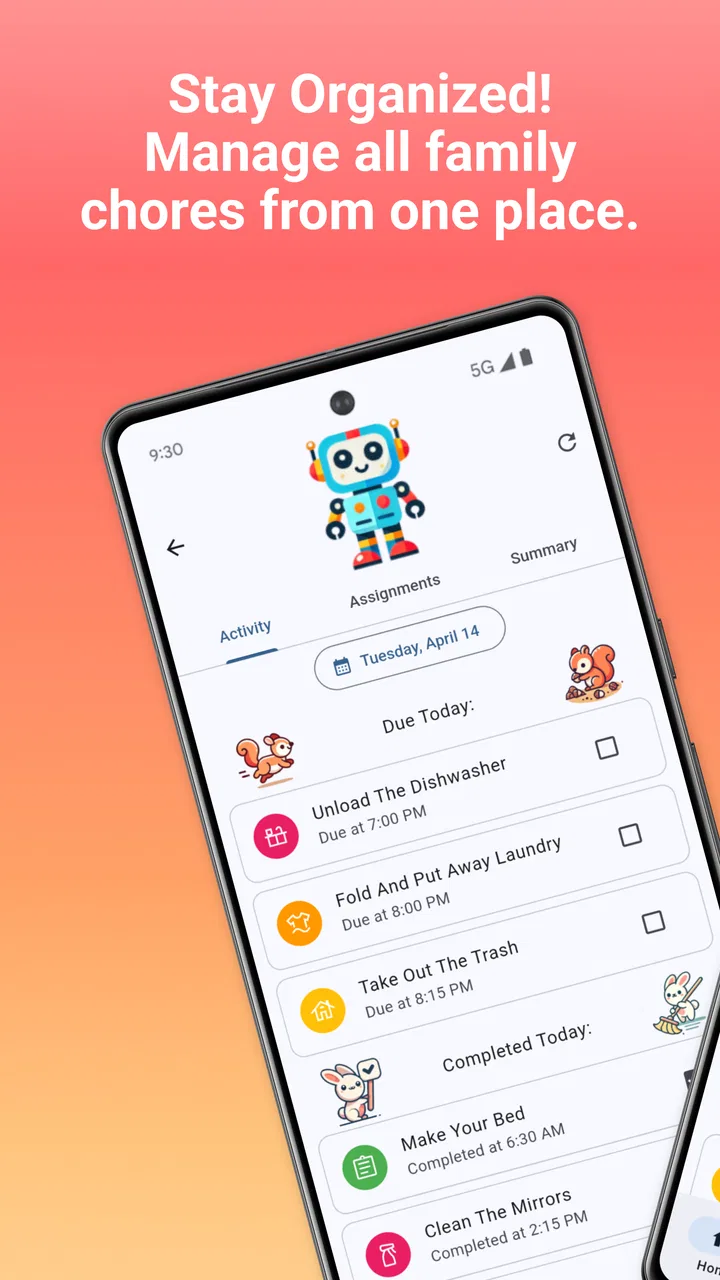
The central idea is straightforward: household chores become easier to manage when everyone can see what needs doing and understands what responsibility looks like. In a busy home, verbal reminders are easily forgotten, especially when one parent is carrying most of the mental load. A dedicated chore app can put those expectations somewhere more visible than a conversation held while someone is rushing out the door.
You May Also Like

 Pandora - Music & Podcasts
Pandora’s Music Is Easy to Start, but Harder to Recover
Pandora’s strength is its low-effort path from a seed to a station. Its weak spot is how much confidence it asks you to place in connection, setup, and quiet recovery.

 AccuWeather: Weather Radar
AccuWeather Review: A Quick, Clear Forecast for Everyday Decisions
For everyday plans, the best forecast is the one you can understand quickly. AccuWeather makes rain timing, radar, and local conditions easy to act on, with a few trade-offs.

 Hill Climb Racing
Why Hill Climb Racing Still Turns Crashes Into One More Run
A tiny car, a bumpy hill and one more upgrade: Hill Climb Racing keeps resurfacing because its simple chaos makes every near-miss feel personal.

 AliExpress - Shopping App
AliExpress Makes Global Shopping Feel Personal, but Shoppers Bear the Risk
AliExpress turns a global marketplace into a pocket-sized discovery engine. Its reach is useful, its shopping loop compelling, and its trade-offs easy to miss.

 Lords Mobile: Kingdom Wars
Lords Mobile Is a Kingdom-Building Routine, Not a Quick Match
A case-by-case verdict on the building, battles, device demands, and social commitments that make Lords Mobile rewarding for some players and exhausting for others.

 PDF Scanner app - TapScanner
TapScanner Makes Paperwork Easier to Capture, Check, and Share
TapScanner makes scanning with a phone feel less like a rescue operation and more like a dependable step in getting work done. Its capture tools are useful, though not flawless.
More From Our News Desk
View All News


That is where Family Chore Manager makes sense. I see it as a shared routine tool rather than a complete parenting system. It is not something I would use to monitor every minute of a child’s day. Its value is narrower and more practical: helping a family turn vague requests such as “please help more” into recognizable household jobs that can be completed and acknowledged.
A realistic example would be a school night when one child needs to clear the table, another needs to put laundry away, and a parent needs to remember whether the recycling was handled. Without a visible system, the same person may be reminded repeatedly while another person’s contribution goes unnoticed. A chore manager can make the division more concrete. Instead of relying on memory, the family has a shared place to check what is expected and what has already been done.
I also like the possibility of using it during a reset of family routines. Rather than adding every possible job immediately, I would begin with a small set of recurring responsibilities: making the bed, feeding a pet, clearing dishes, or preparing a school bag. After a week, I would adjust anything that is too vague, too frequent, or unevenly assigned. That gradual approach matters because a complicated chore system can fail before children even understand how to use it.
A focused tool, not a replacement for family communication
The app’s parenting category is appropriate, but parents should keep its role in perspective. A checklist can show that a task exists; it cannot decide whether the task was completed carefully, whether a child is tired, or whether a family rule should change for a particular day. I would use the app to support a conversation, not to avoid one.
For younger children, the parent may still need to explain what “clean your room” actually means. A broad label can create frustration if the child believes the job is finished after picking up toys while the parent expects clothes, books, and rubbish to be handled too. The most useful setup is therefore specific and observable. “Put dirty clothes in the basket” is easier to understand than “take care of laundry,” even if both describe the same general responsibility.
For older children, the challenge is different. They may accept a digital checklist but dislike feeling that every action is being tracked. I would involve them in deciding which chores belong on the list and how often each should appear. That small amount of control can make the system feel like a shared agreement instead of a parental surveillance tool.
How it compares with paper charts and general task apps
A paper chart still has a real advantage: it is visible in the kitchen, requires no charging, and can be understood at a glance. For a family that already uses a whiteboard successfully, moving to an app may not improve anything. Paper also avoids placing family routines inside a digital product, which may matter to parents who prefer to keep children’s information offline.
On the other hand, paper becomes less convenient when children are in different rooms, routines change often, or more than one adult needs to update the list. Family Chore Manager is more appealing in that situation because it is designed around household responsibilities rather than general notes or reminders. A standard task app may offer more advanced productivity features, but it can feel too adult and individual-focused for a family chore conversation.
The trade-off is that a specialized chore app usually works best when the whole household agrees to use it. If only one parent opens it, updates it, and checks it, the app may simply become another private reminder list. Before committing, I would ask whether the people expected to complete chores can actually see and understand the routine. That question is more important than the number of available options.
Trust, controls, and moments that deserve extra care
Because this is a parenting app, trust is not just about whether the interface is pleasant. It is also about what information a family chooses to enter, who can access the account, and whether children understand the role the app plays. My cautious approach is to begin with the smallest amount of information needed to organize chores.
I would avoid entering full names, school details, schedules, photographs, or personal descriptions when a simple first name or family role is enough. Chores usually do not require a detailed child profile. Keeping entries minimal reduces the consequences if a device is shared, an account is left open, or a family later decides to stop using the service.
The app is available on Android from version 7.0 onward, which makes it accessible to many older devices. That can be helpful for households that do not give children the newest phone or tablet. It also means parents may be using a mixture of devices, so I would check the experience on the actual phones or tablets the family will use rather than assuming that one person’s setup represents everyone’s.
Account controls deserve attention before the first chore is added. I would look for clear ways to identify the household members, review who can change assignments, and remove an old profile when a device changes hands. I would also check whether a child is expected to have a separate account or simply use a parent-managed device. These choices affect privacy and independence, even when the app’s main purpose is only household organization.
That is also why I would not treat the everyone age rating as a guarantee that every setup is automatically suitable for every child. The rating makes the general subject appropriate for a broad audience, but parents still decide what personal information goes in and how rewards are discussed. A child who is sensitive to competition may respond better to private progress and encouragement than to a visible ranking between siblings.
Data-sensitive moments during setup and daily use
The most sensitive moment is usually not completing a chore; it is creating the family structure around it. Parents may be tempted to add more information than necessary because detailed profiles feel organized. I would resist that impulse. Start with household roles, the task itself, and the minimum detail needed to distinguish one person’s responsibility from another’s.
Another important moment comes when a device is shared. If a tablet stays in a common room, anyone nearby may be able to see the current chore list. That may be perfectly acceptable for ordinary household tasks, but families should think twice before including notes that reveal private schedules, health-related duties, or other information that does not need to be visible.
Rewards also deserve careful handling. The app’s purpose includes rewarding responsibility, but a reward system can change the emotional meaning of chores. I would use rewards as recognition for contribution, not as a payment for every basic act of family life. A weekly privilege, shared activity, or choice of dinner may work better for some families than constantly attaching money to tasks. The right approach depends on the child and the family’s existing values.
If the app offers paid items, I would review the purchase screen carefully before allowing a child to use the device independently. The listed price range is $3.99 to $19.99 per item, so accidental purchases could be meaningful for a household budget. I would keep purchase approval with an adult and explain to children that completing chores does not automatically authorize buying anything inside the app.
Where the app gives families useful agency
The best way to use Family Chore Manager is to make the family’s rules visible without making the app the authority. Parents should decide which chores matter, how often they should occur, what counts as complete, and what happens when a task is missed. The app can hold that agreement, but it should not silently replace it.
I recommend a short weekly review. Spend a few minutes asking which tasks were realistic, which assignments felt unfair, and whether any chore needs to be broken into smaller steps. This is one of the less obvious benefits of a digital routine: it can reveal that the problem is not laziness but poor task design. If a child repeatedly misses “clean the kitchen,” the solution may be to define separate jobs such as loading dishes, wiping the table, and sweeping the floor.
Another useful workflow is to separate maintenance chores from occasional jobs. Daily responsibilities should not be buried under one-time tasks such as cleaning a cupboard or helping with a seasonal changeover. If everything appears equally urgent, children may stop trusting the list. A smaller daily view, supported by occasional responsibilities, is easier to act on and easier for parents to maintain.
I would also avoid changing assignments in the middle of a disagreement. If a parent edits the list whenever a child complains, the system can become a negotiation scoreboard. Make changes during the weekly review instead. That creates a calmer distinction between completing an agreed task and discussing whether the agreement still works.
Limitations and families that may prefer another approach
The app is not the right choice for every household. Families that want a completely offline solution may be happier with a paper chart. Families looking for detailed calendars, shared shopping lists, school planning, or broad home automation may outgrow a focused chore manager and prefer a more comprehensive planning platform. A general task app may also be better when adults need to combine work, appointments, errands, and chores in one system.
There is also a maintenance cost. Any chore app is only as useful as its current list. If parents stop updating assignments, leave unrealistic tasks in place, or forget to acknowledge completed work, children may conclude that the system does not matter. That is not necessarily a flaw unique to this app, but it is a real friction point that should be considered before downloading it.
The small public footprint is another reason I would approach it thoughtfully. An average rating of 4.0 is encouraging but not decisive, and the number of ratings is still modest. I would install it, test the basic family workflow, and decide whether the controls feel clear before paying for optional items or moving a large amount of family information into it.
Version 1.6.2 indicates that the app has received development beyond its initial release, which was on October 28, 2024. I would still keep expectations realistic: an evolving app may improve over time, but families should judge the current experience they can use today. Kronickel is the developer, and parents who care strongly about account handling should read the permissions and privacy choices shown on their device before creating a detailed household profile.
My recommendation after weighing usefulness against trust
I would recommend Family Chore Manager to parents who want a dedicated place for household responsibilities and are willing to establish the rules themselves. It can be especially useful when chores are forgotten, one child feels that they are doing more than another, or two adults need a shared view of what has been assigned. The app’s focused purpose is its main strength.
I would not recommend handing it to children without guidance and assuming the reward system will solve motivation on its own. I would also skip it if the family already has a paper chart that everyone follows or if entering household information into an app feels uncomfortable. In those situations, the extra digital layer may add friction rather than remove it.
My practical advice is to start with a small, low-sensitivity test. Add a few ordinary chores, use roles rather than unnecessary personal details, decide in advance who can edit assignments, and review any purchase controls before a child uses the device. After one week, ask whether the app reduced reminders or merely moved them onto a screen. That answer will tell you more than the feature list.
Overall, I see Family Chore Manager as a sensible experiment for families who want structure without adopting a full productivity platform. It is free to begin, available to a wide range of Android devices, and shaped around a familiar parenting problem. My verdict is positive but careful: use it as a transparent family agreement, not as a hidden monitoring system. With limited information, clear expectations, and regular human conversation around the list, it has a fair chance of making chores feel more manageable.
FAQs for Family Chore Manager
01What is Family Chore Manager and how does it work?
Family Chore Manager is an app designed to help families organize and manage household chores efficiently. It allows users to assign tasks to family members, set deadlines, and track progress. The app sends reminders and notifications to keep everyone on track and offers rewards and incentives to motivate completion.
02Is Family Chore Manager suitable for all age groups?
Yes, Family Chore Manager is designed to be user-friendly for all age groups. It includes a simple interface that children can navigate and features that allow parents to assign age-appropriate chores. The app also offers customization options to cater to the specific needs of each family member.
03Can Family Chore Manager be used offline?
Family Chore Manager primarily requires an internet connection for syncing data across devices and sending notifications. However, offline functionality allows users to view and update chores, with changes being synced once the device reconnects to the internet. This ensures flexibility and accessibility even without a constant connection.
04How secure is the data in Family Chore Manager?
Family Chore Manager prioritizes user privacy and data security. The app utilizes encryption protocols to protect personal information and chore data. Additionally, it offers customizable privacy settings, allowing users to control who can view and edit chores within the family, ensuring a secure and private experience.
05Does Family Chore Manager support multiple devices?
Yes, Family Chore Manager supports multiple devices, allowing family members to access and manage chores from their smartphones or tablets. The app syncs data in real-time, ensuring that any updates or changes made by one member are instantly visible to others, promoting seamless collaboration and communication.
Pros
- User-friendly interface simplifies task assignment.
- Customizable chore lists for each family member.
- Real-time notifications keep everyone updated.
- Reward system encourages task completion.
- Syncs across multiple devices seamlessly.
Cons
- Limited features in free version.
- Requires constant internet connection.
- No offline mode available.
- Some features can be complex for beginners.
- Limited integration with other apps.

Family Chore Manager
Gallery